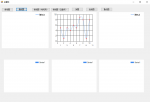
c# chart 控件 曲线图
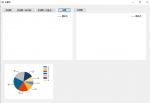
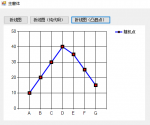
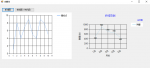
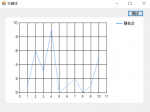
SeriesChartType.Line 折线 SeriesChartType.Spline 曲线
using System;
using System.Collections.Generic;
using System.ComponentModel;
using System.Data;
using System.Drawing;
using System.Linq;
using System.Text;
using System.Threading.Ta
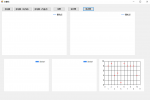
SeriesChartType.Line 折线 SeriesChartType.Spline 曲线
using System;
using System.Collections.Generic;
using System.ComponentModel;
using System.Data;
using System.Drawing;
using System.Linq;
using System.Text;
using System.Threading.Ta
using System;
using System.Collections.Generic;
using System.ComponentModel;
using System.Data;
using System.Drawing;
using System.Linq;
using System.Text;
using System.Threading.Tasks;
using System.Windows.Forms;
using System.Wi
using System;
using System.Collections.Generic;
using System.ComponentModel;
using System.Data;
using System.Drawing;
using System.Linq;
using System.Text;
using System.Threading.Tasks;
using System.Windows.Forms;
using System.Wi
using System;
using System.Collections.Generic;
using System.ComponentModel;
using System.Data;
using System.Drawing;
using System.Linq;
using System.Text;
using System.Threading.Tasks;
using System.Windows.Forms;
using System.Wi
using System;
using System.Collections.Generic;
using System.ComponentModel;
using System.Data;
using System.Drawing;
using System.Linq;
using System.Text;
using System.Threading.Tasks;
using System.Windows.Forms;
using System.Wi
using System;
using System.Collections.Generic;
using System.ComponentModel;
using System.Data;
using System.Drawing;
using System.Linq;
using System.Text;
using System.Threading.Tasks;
using System.Windows.Forms;
using System.Wi
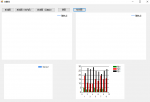
Series->ChartType 选择图标类型。
using System;
using System.Collections.Generic;
using System.ComponentModel;
using System.Data;
using System.Drawing;
using System.Linq;
using System.Text;
using System.Threading.Tasks;
using Syste
https证书有时候过期,造成baidu手机端app访问网站出现证书错误,因此将https重定向到http。
1、WinSCP连接服务器。ctrl+alt+h,显示隐藏文件。
2、修改 .htaccess 文件。
<IfModule mod_rewrite.c>
RewriteCond %{HTTPS} ^on$
RewriteRule ^(.*)$ http://%{HTTP_HOST}/$1 [NC,L,R]
</IfModule>
import numpy as np
import tensorflow as tf
import keras
import numpy as np
import matplotlib.pyplot as plt
from keras.layers import Dense
from keras.models import Sequential
from keras.optimizers import SGD
from keras.layers import
using System;
using System.Collections.Generic;
using System.IO;
using System.Linq;
using System.Text;
using System.Threading.Tasks;
using Microsoft.ML;
using Microsoft.ML.Data;
namespace MLApp
{
internal class Program
{
pu
import torch
import torch.nn as nn
from torch.autograd import Variable
import torch.utils.data as Data
import torchvision
import matplotlib.pyplot as plt
import os
# 批训练加速模型的训练速度
EPOCH = 1
# 定义批次训练的batch数
BATCH_SIZE = 50
# 定义
线性回归模型,使用房屋大小和价格数据预测房屋价格。
using System;
using System.Collections.Generic;
using System.Linq;
using System.Text;
using System.Threading.Tasks;
using Microsoft.ML;
using Microsoft.ML.Data;
namespace MLApp
{
internal class Program
import numpy as np
import tensorflow as tf
import keras
import numpy as np
import matplotlib.pyplot as plt
from keras.layers import Dense
from keras.models import Sequential
from keras.optimizers import SGD
from keras.layers import
一、安装
pip install tensorflow -i https://pypi.tuna.tsinghua.edu.cn/simple/
二、查看版本
1、输入python命令,进入 python 交互式命令行界面。
2、导入我们安装好的tensorflow。
import tensorflow
3、输入下面代码,注意:version前后各有两个下划线,只输入一个会报错。
print(tensorflow.__version__)
一、创建应用
打开 Visual Studio 并新建 .NET 控制台应用:
1、从 Visual Studio 2022 开始窗口中选择 新建项目。
2、选择 C# 控制台应用 项目模板。
3、将项目名称更改为 MLApp。
4、确保不选中将解决方案和项目置于同一目录中。
5、选择“下一步”按钮。
6、选择 .NET Framework 4.8。
7、选择“创建”按钮。Visual Studio 将创建项目并加载 Program.cs 文件。
二、添加机器学习
一、原图
opencv4.7\sources\samples\data\digits.png
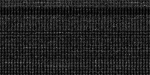
//读取OpenCV自带的一张手写体数字图,尺寸为Size(2000,1000),其中每个数字为(20,20)的区域,总共有 [(1000/20)x(2000/20)] 共5000个数字。
二、分割图片
// 使用math库里的宏常量
#define _USE_MATH_DEFINES
#include <iostream>
#include <fil
一、训练模型
using OpenCvSharp;
using OpenCvSharp.Extensions;
using System;
using System.Collections.Generic;
using System.ComponentModel;
using System.Data;
using System.Drawing;
using System.Linq;
using System.Text;
using System.Th
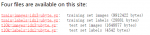
官网地址:http://yann.lecun.com/exdb/mnist/
import numpy as np
import cv2
import os
# 将二进制格式的MNIST数据集转成.png图片格式并保存,图片标签包含在图片名中。
def save_mnist_to_png(mnist_image_file, mnist_label_file, save_dir):
if ‘train’ in os.path.basename(mni
import cv2
import numpy as np
import matplotlib.pyplot as plt
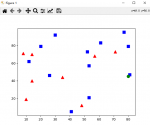
point_all = np.random.randint(0, 100, (20, 2))
# 随机选择20个点
label_all = np.random.randint(0, 2, (20, 1))
# 为随机点随机分配标志
label_0 = point_all[label_all.ravel() == 0]
# 分出标志为0的